Clarity AI, Custom Reports
Ask a question about your money, in your own words.
Money Mastery builds reports from your categorized transactions, from a Profit and Loss to monthly trends, spending trends and income sources, and Clarity AI answers your questions about them in plain English. Use one of the prebuilt reports or build your own, choose your dates, and then ask Clarity what the numbers mean.
- Built from your own transaction data
- Prebuilt reports and a custom report builder
- Plain-English answers from Clarity AI
Reports come with every paid membership
The reports and the custom report builder are in Rise, at $49.99 a month, and in everything above it. The higher memberships do not unlock more of the system, they add Donna’s time.

Here is an illustration of Clarity AI answering a question about your own numbers. You choose a report or build your own, pick the dates, and ask in plain English, and Clarity reads your categorized transactions to answer, so what it tells you is about your own accounts rather than estimates or benchmarks.
Clarity AI, on your Q1 expenses
Q1 Business Expense Analysis
- Key finding Total Q1 business expenses were $14,820, up 18% from Q4. The increase was driven primarily by two categories: Supplies (+$1,240) and Software Subscriptions (+$980).
- Largest category Contractor payments came to $5,600 (38% of total), in line with Q4, and no unusual transactions were flagged.
- Notable shift Marketing expenses were $0 in Q1, compared with $1,100 in Q4. If you paused marketing on purpose, there is nothing to do, and if not, this is a good moment to look at it.
- Tax-relevant items 4 transactions totaling $890 are in categories that typically require documentation for deductibility, so they are worth reviewing before you file.
- Generated from 127 categorized transactions across Business Checking and Business Card, Jan 1 to Mar 31.
Choose a report, then ask Clarity about it in your own words.
- Choose a prebuilt report or build your ownThe report library has prebuilt reports for the most common needs, from Profit and Loss and Income Sources to Monthly Overview, Spending Trends and Savings Rate. Or open the custom report builder, describe what you would like to know in your own words, and pick the sections you want, such as income, expenses, categories, recurring payments and your largest transactions.
- Select the date rangeChoose the period the report should cover, such as this month, year to date, the full year, or a custom range, and add filters such as categories where the report offers them.
- Ask Clarity about your numbersOnce the report is ready, ask Clarity AI a question about it in plain English, such as "How did my business expenses change over the last three months?" Clarity has read the report’s data, so its answer is about your own categorized transactions.
- Read the report, share it, or use it to prepare for a conversationExport the report as a PDF or CSV file, print it, or send it by email. Share it with your accountant, use it to prepare for a financial review meeting, or keep it as a monthly record of your financial position.
Clarity AI reads your numbers, not the internet’s.
Clarity AI reads your own transactions, your own categories and your own patterns, so what it tells you is about your situation rather than a hypothetical one.
Built from your own data
Every Money Mastery report is built from your categorized transactions, so it describes what happened in your own accounts for the period you choose rather than industry averages or estimates.
Ask in plain English
Type a question the way you would say it, such as "Why did my expenses spike in March?" or "Am I on track compared to last quarter?", and Clarity looks for the answer in your data and explains it clearly, so you can skip hunting for the right tab or filter.
What your numbers mean
Each report lays your figures out clearly, and Clarity AI adds a plain-English explanation when you ask, so you can see what your numbers mean as well as what they are.
All sixteen reports, already built for you.
Every one is built from your own categorized transactions, for whatever period you choose. Titles and contents here are the reports as they ship in the system.
Profit and Loss
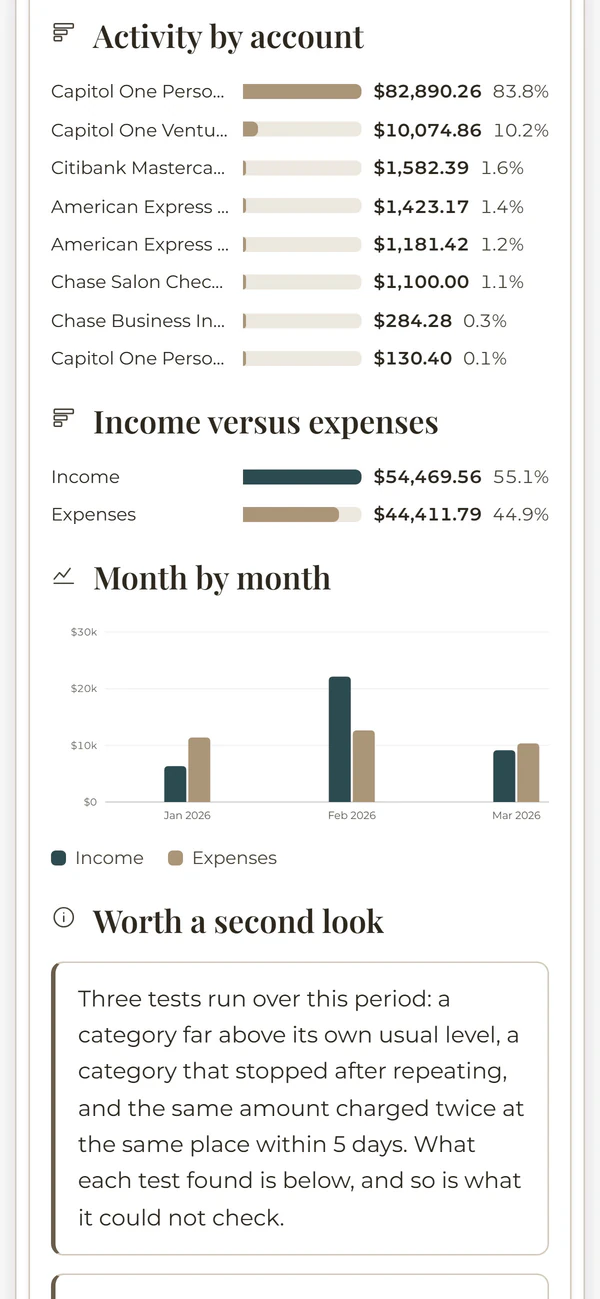
Income against expenses for the period you choose, broken down by category and by month, with your largest expenses and a comparison against the period before.
Account Summary
Every account side by side, with income against expenses, the month by month picture, and your largest transactions.
All Transactions
The full transaction list for the period, grouped by category, by account and by month.
Category Breakdown
Every category and subcategory ranked by total, with your top merchants and how the period compares with the one before it.
Selected Categories
The same detail narrowed to only the categories you pick, down to the individual transactions.
Income Sources
Where your income comes from, how it is spread across your income streams, and how that has moved month to month.
Monthly Overview
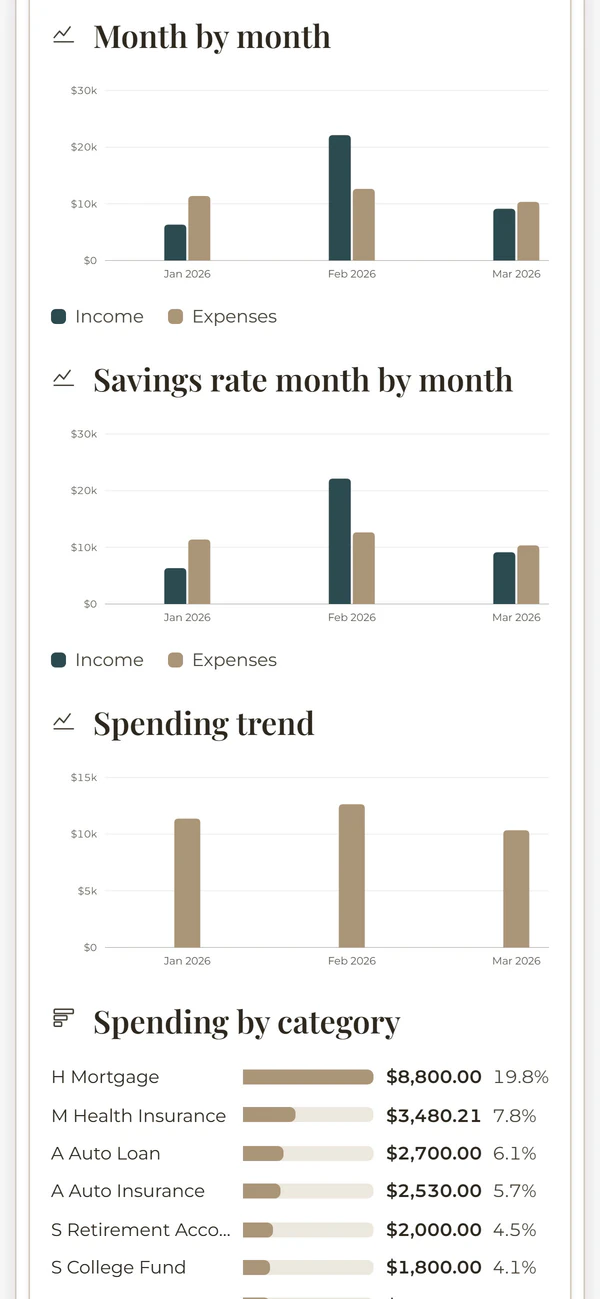
Your position month by month, with savings rate and spending trends alongside, so you can compare one month with the next.
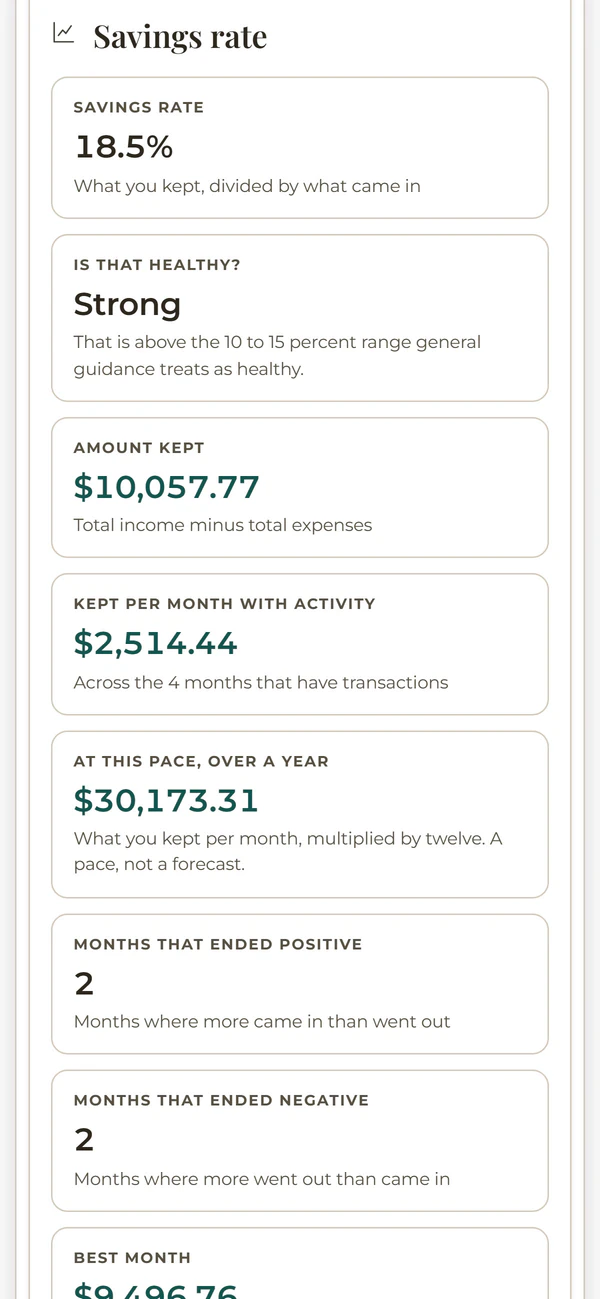
Savings Rate
How much of your income you are keeping, month by month, set against what you spent the rest on.
Spending Trends
The patterns in your spending, your top merchants and your recurring charges, with the period before for contrast.
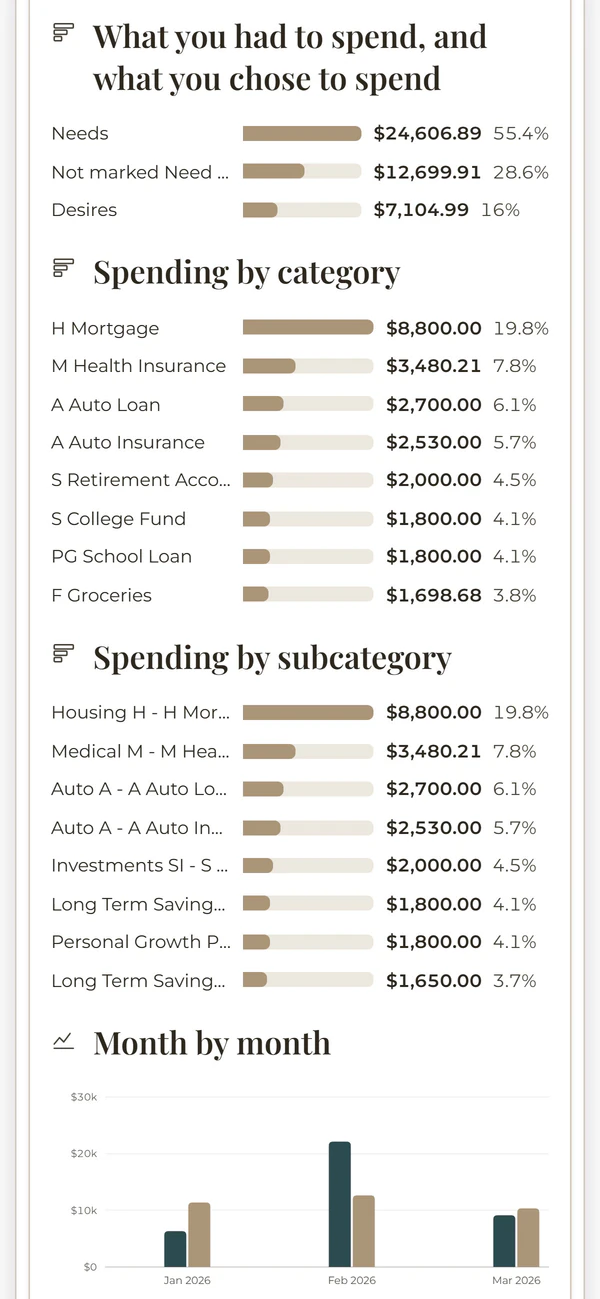
Needs versus Desires
Your spending split into what you needed and what you chose, by category and by month.
Recurring Transactions
The charges that repeat, what they cost you across the period, and which merchants they go to.
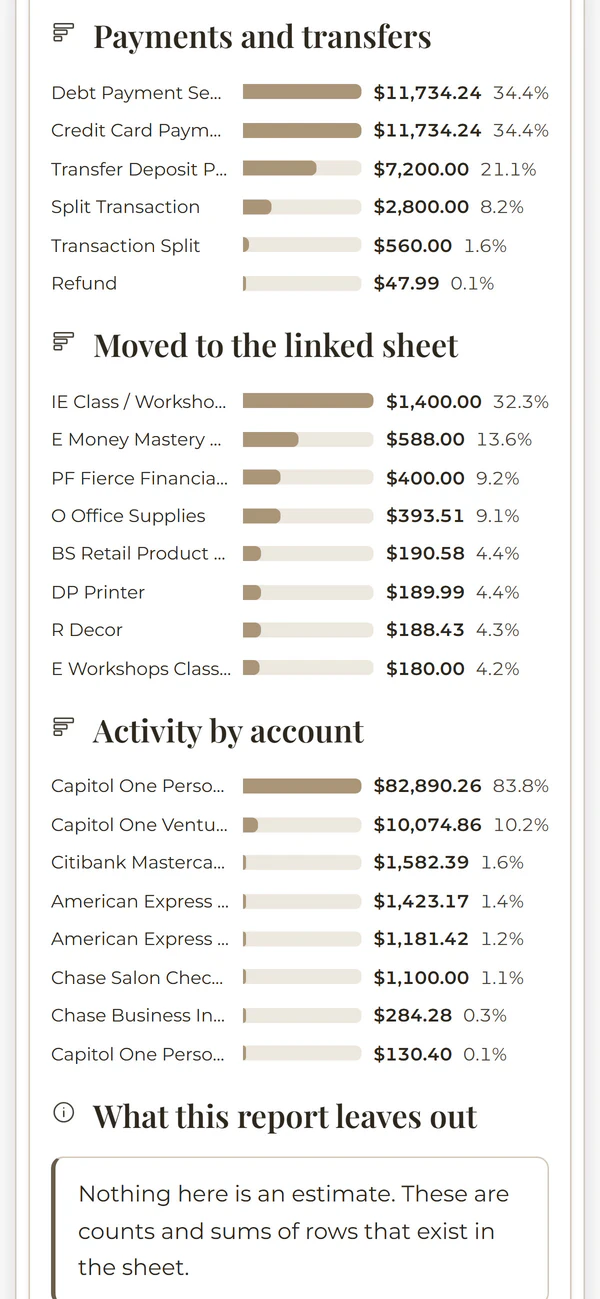
Payments and Transfers
Card payments, transfers and money moved between your own accounts, kept separate so they are never counted as income or spending.
Personal versus Business
Which side of your life each amount belongs to, including anything moved between your personal and business workbooks.
Ignored and Excluded
Everything deliberately left out of your totals, plus anything still unlabeled, so nothing goes missing quietly.
Custom Date Range
Any two dates you like, with income against expenses, categories, months, and the transactions behind them.
Custom Report
Build your own from twenty five sections, choosing exactly what goes in and leaving out what you do not need.
Most of the reports close with a reconciliation and a data quality check, so you can see whether the figures add up and what is still uncategorized behind them.

All of it reads on a phone.
Your numbers travel with you. Every report lays itself out for a small screen, and here are five that read quite differently from one another, shown with example data.
Here is what you may want to know
Does Clarity AI use my actual transaction data or estimates?
Your actual data. Money Mastery reports are built from your categorized transactions, and Clarity AI reads those same transactions for the period you select, so what you see is what happened in your own accounts rather than industry benchmarks, averages or estimates.
What kinds of questions can I ask in plain English?
You can ask questions like "Why did my expenses increase in March?", "Which expense categories are growing fastest?", "Am I generating positive cash flow this quarter?", "How does my income this year compare to last year?", or "Which transactions should I review before tax filing?" The more specific the question, the more targeted Clarity’s answer.
Do I need to have all my data categorized before running a report?
No. Reports and Clarity AI work from the transactions you have categorized so far, so a report is as complete as the categorized data behind it. The custom report builder also has an Uncategorized section that lists the transactions still waiting for a category, so you can see exactly what a report does not yet include.
Can I share a Clarity AI report with my accountant?
Yes. You can export a report as a PDF or CSV file, print it, or send it by email. Report sharing and workbook access are separate, so you decide whether someone receives a specific report or broader access to the workbook. A report is also a useful way to get the financial picture clear in your own head before the conversation.
Is Clarity AI included in all plans or only higher memberships?
Clarity AI is included in every membership. La Soglia, the free membership, includes five Clarity questions a month, and Rise, Rise Together and Rise Beyond include unlimited Clarity AI questions, together with the full report library and the custom report builder. There is no separate subscription and no AI add-on to buy.
Clarity AI is included in every Money Mastery plan.
Every membership includes Clarity AI, and from Rise upward you also have the full report library, the custom report builder and unlimited Clarity AI questions, with no separate AI subscription to add.
See the memberships → Start free with La Soglia